Oven Convection Fan Not Working? 6 Causes and What to Do
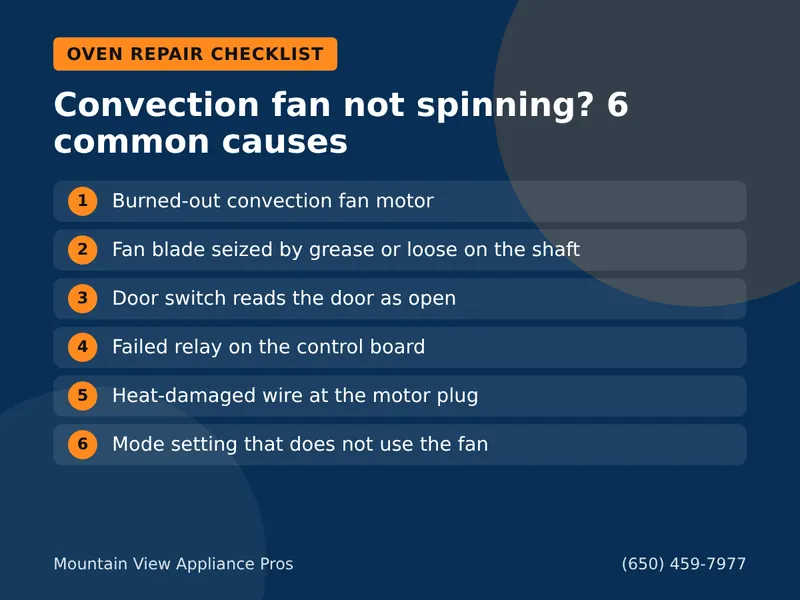
A convection fan that will not spin is usually a failed fan motor, a seized blade, a door switch or a relay on the control board. Here is how to narrow it down.
Read the guideThe vent fan on your over-the-range microwave keeps blowing, even after you turn it off. Sometimes it starts on its own. Before you assume the worst, know that this is often a safety feature at work.
Call Now – (650) 459-7977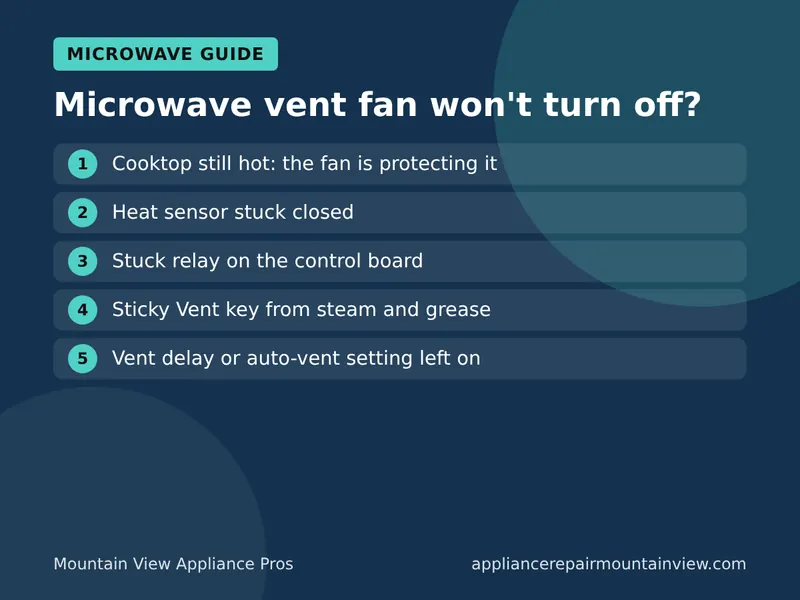
On an over-the-range microwave, a fan that will not turn off is often working as designed. A heat sensor under the microwave turns the vent fan on when the cooktop gets hot, and it locks out the off button until things cool. If the cooktop is cold and the fan still runs, the 5 usual causes are a failed heat sensor, a stuck relay on the control board, a stuck keypad button, a vent timer setting, or a power surge that confused the control.
For built-in and over-the-range units from GE, Whirlpool, Samsung, LG, Bosch, KitchenAid and Sharp, our appliance repair Mountain View CA technicians can test the sensor, relay and keypad in your kitchen.
Feel the underside of the microwave. If it is warm, the fan is doing its job and will shut off once the area cools, often 10 to 30 minutes after the burners are off. Big pots on the back burners, a griddle or a long simmer can keep it running a while. Do not block the vent grilles or cover the cooktop with foil to stop it.
The sensor is a small thermostat near the vent grille. When it fails closed, the control thinks the cooktop is hot all the time. The fan runs even on a cold morning.
The board uses a relay to switch the fan. If its contacts weld together, the fan keeps running no matter what you press. Sometimes the light gets stuck on too.
Steam and grease from the stove can make the Vent or Fan key stick. The control reads it as pressed again and again.
Many models have a "vent delay" or auto mode that runs the fan for a set time after cooking. Check the manual for how to turn it off.
A brief outage or surge can scramble the control. A reset often clears it.
Microwave vent fan running nonstop? Call now for microwave repair in Mountain View.
Do not open the microwave case. The high-voltage capacitor inside can hold a dangerous charge after it is unplugged. Sensors and relays sit close to it.
Call if the fan still runs after the cooktop is cold and you have reset the power, if the light is stuck on too, or if the fan makes a grinding noise. Grinding usually means the fan motor bearings are worn. If the keypad is not responding at all, read our guide on microwave buttons not working. If it runs but does not warm food, see microwave not heating.
Most microwave repairs in Mountain View cost about $120 to $350 with parts and labor. For an over-the-range or built-in unit, a new sensor, relay or keypad is usually worth it, since replacing the whole unit means new mounting and venting work. For an older unit with rust inside or several faults at once, replacement can make more sense. Our repair or replace guide walks through the choice.
Something else acting up? These guides may help: my oven wont turn on, oven not preheating all the way, washer wont drain and dishwasher no water.
Most over-the-range microwaves have a heat sensor that turns the vent fan on when the cooktop below gets hot. It stays on until the area cools, and you cannot turn it off while it is hot. If the cooktop is cold and the fan still runs, the sensor, a relay on the control board or the keypad may be stuck.
The automatic heat sensor turns it on when it senses heat from the burners. A failing sensor can do this when the stove is cold. Some models also have a timed vent or an auto-vent setting that is easy to switch on by accident.
If the cooktop is cold, turning off the breaker for a minute is a safe reset. Do not do it while burners are on, because the fan is protecting the microwave's electronics from heat.
Most microwave repairs in Mountain View cost about $120 to $350 with parts and labor. A thermostat or relay repair is usually in that range. You get the price before work starts.
Tell us what your appliance is doing. We will quote the visit on the phone and book the first open slot, often the same day.
A convection fan that will not spin is usually a failed fan motor, a seized blade, a door switch or a relay on the control board. Here is how to narrow it down.
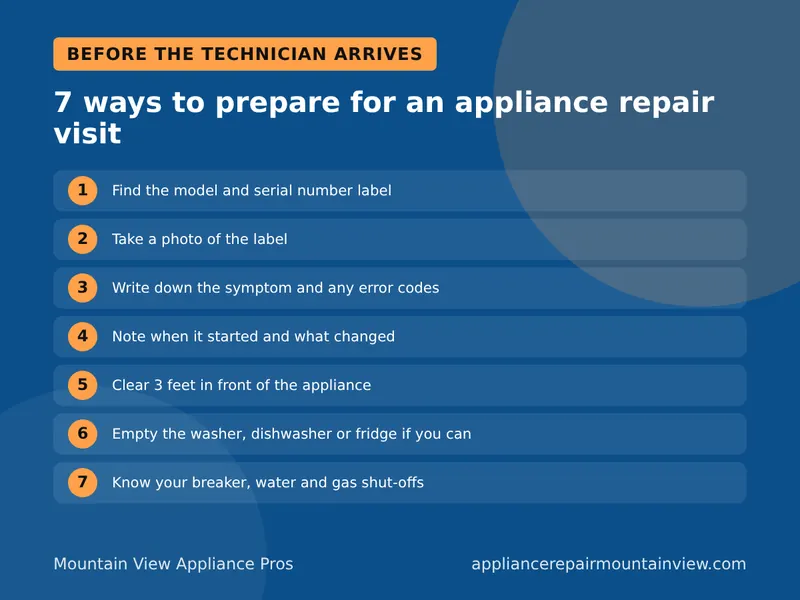
Read the guideA good repair visit starts with a diagnosis, a clear price and your OK before work begins. Here is what to have ready and what to ask so the repair goes fast.
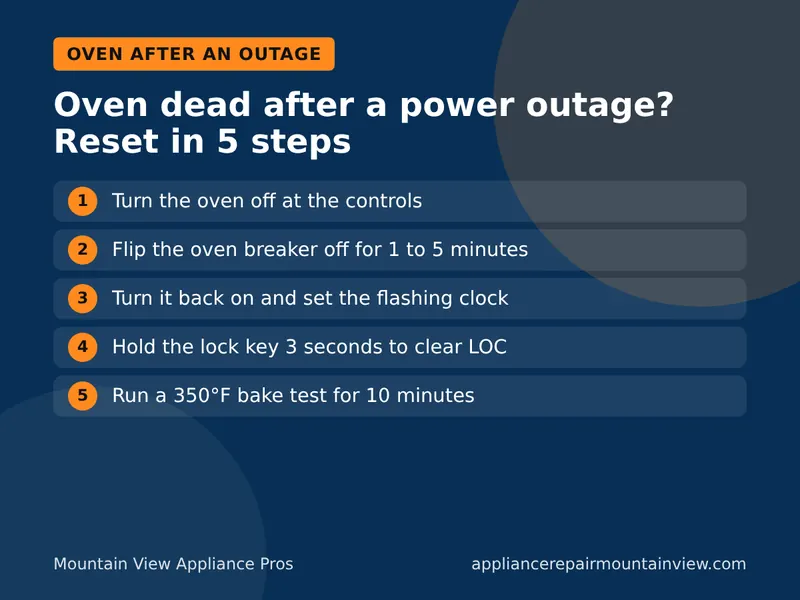
Read the guideMost ovens come back with a breaker reset and a clock set. If the display stays dark or the oven will not heat, a surge may have hit a fuse or board.
Read the guideCall now to talk to a real person, any time of day or night.
(650) 459-7977 Call Now – (650) 459-7977